Note that “Job” and “Task” are vague terms usually used synonymously with process.
A Program that is being executed; program + state
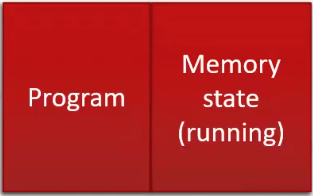
We can also split this view more finely as follows, into program + memory state + Processor state + Thread of control.
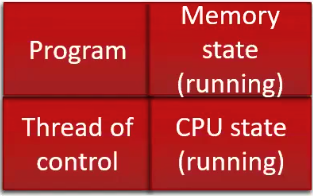
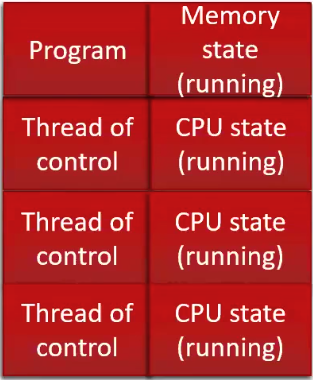
We can generalize this so that for every additional processor you have, you can just add another processor state and thread of control to the representation.
OS Implementation
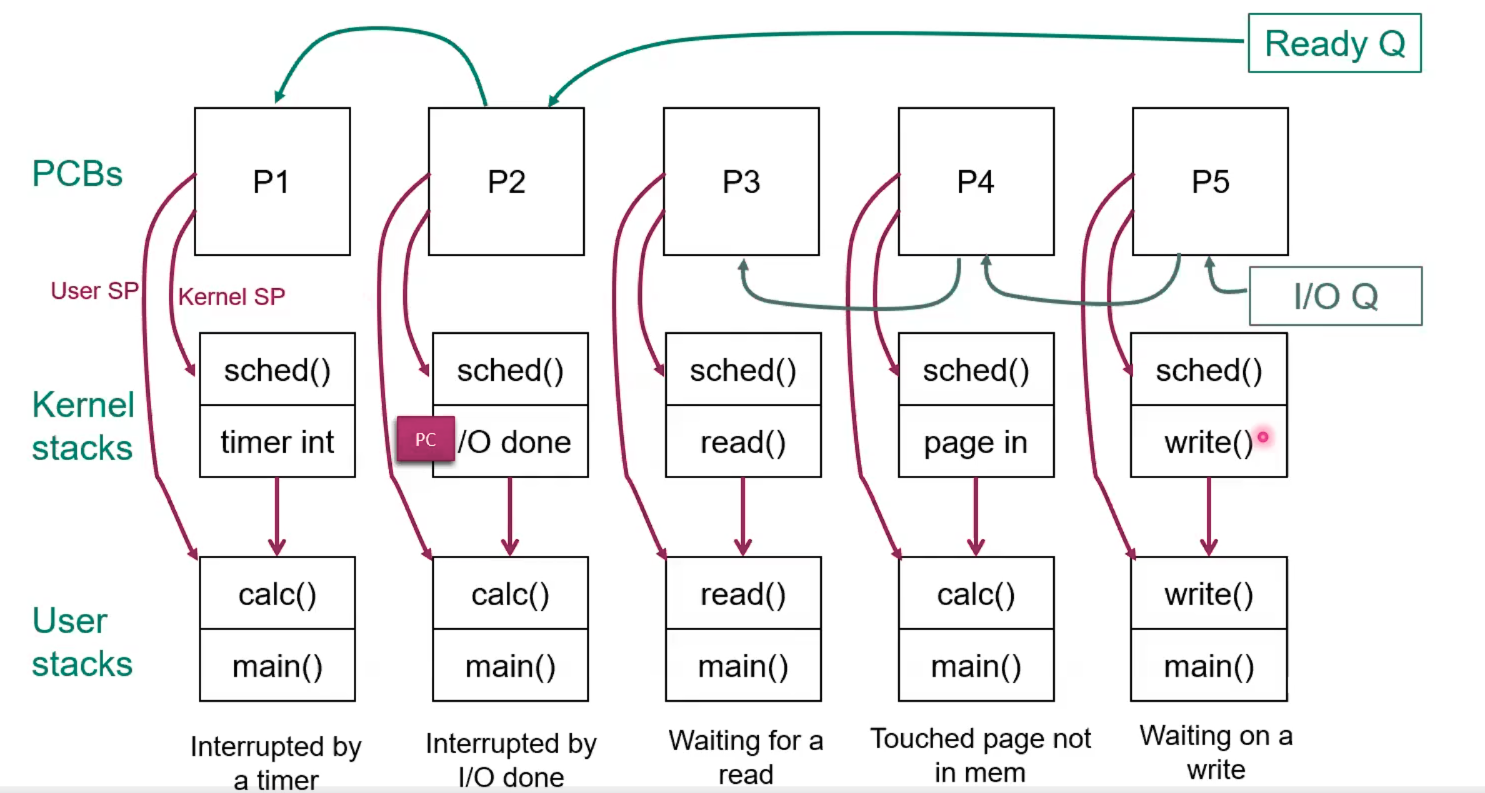
Each process gets its own representation as a Process Control Block in the Ready Queue or O Queue
Each process gets its own user Stack accessible through a stack pointer
Each process gets its own Kernel stack, which holds Activation Records, accessible through a stack pointer
 Create a new process by:
- Getting a fresh PCB and address space
- Load the program into the address space
- Construct a sched() and interrupt frame on top of the new kernel stack that goes along with that PCB, that has a return address of user mode and address 0
- link PCB into Ready Queue
- Call Scheduler
- When our PCB reaches the head of the Ready Queue and is Dispatched, the scheduler will return and using the new process’ state which means that sched() will “return” to the first instruction of the program
Context Switch
Link to originalContext Switch
- Grab attention of processor
- Preemptive: external interrupt, like timer
- Nonpreemptive: system call (trap), I/O request, process exit
- Save the state of current process
- Dump PC and registers of current process (at the start of the ready queue) into PCB
- Select new process to run
- Short Term Scheduler scheduling algorithm result → select a PCB to “dispatch”
- Dispatch the selected process
- Call Dispatcher for the closest PCB in the Ready Queue, load state of the selected PCB into processor registers (PC, Register File)
The scheduler does not call any process to run. Instead it rearranges the PCB queues and then returns to the first out of the queue.
TLB
Link to originalContext Switching
- Kernels can have page maps, but the kernel page map doesn’t change when we do a Context Switch. Hence the user/kernel flag.
- When we do a Context Switch, the PTBR changes, and consequently the page table we have access to changes to that of the new proccess.
- Each process owns its own user space. Therefore, we must purge all of the cached user entries in the TLB after a Context Switch because they still point to the memory space of the previous process. Whatever user entries the old process cached in the TLB are useless to the new process, because the two process don’t share their memory.
- Cached kernel entries do not need to be purged because the kernel space is shared by all processes.
Link to original
- The Dispatcher is responsible for performing this purge